Rent or Reserve Your Storage Unit Online
Your time is valuable. That is why you can secure your storage unit completely online, from the comfort of your home, in just a few easy steps. Prefer to talk it through? You can also rent by phone or stop by the office.
TWO EASY WAYS
Choose How You Want to Move In
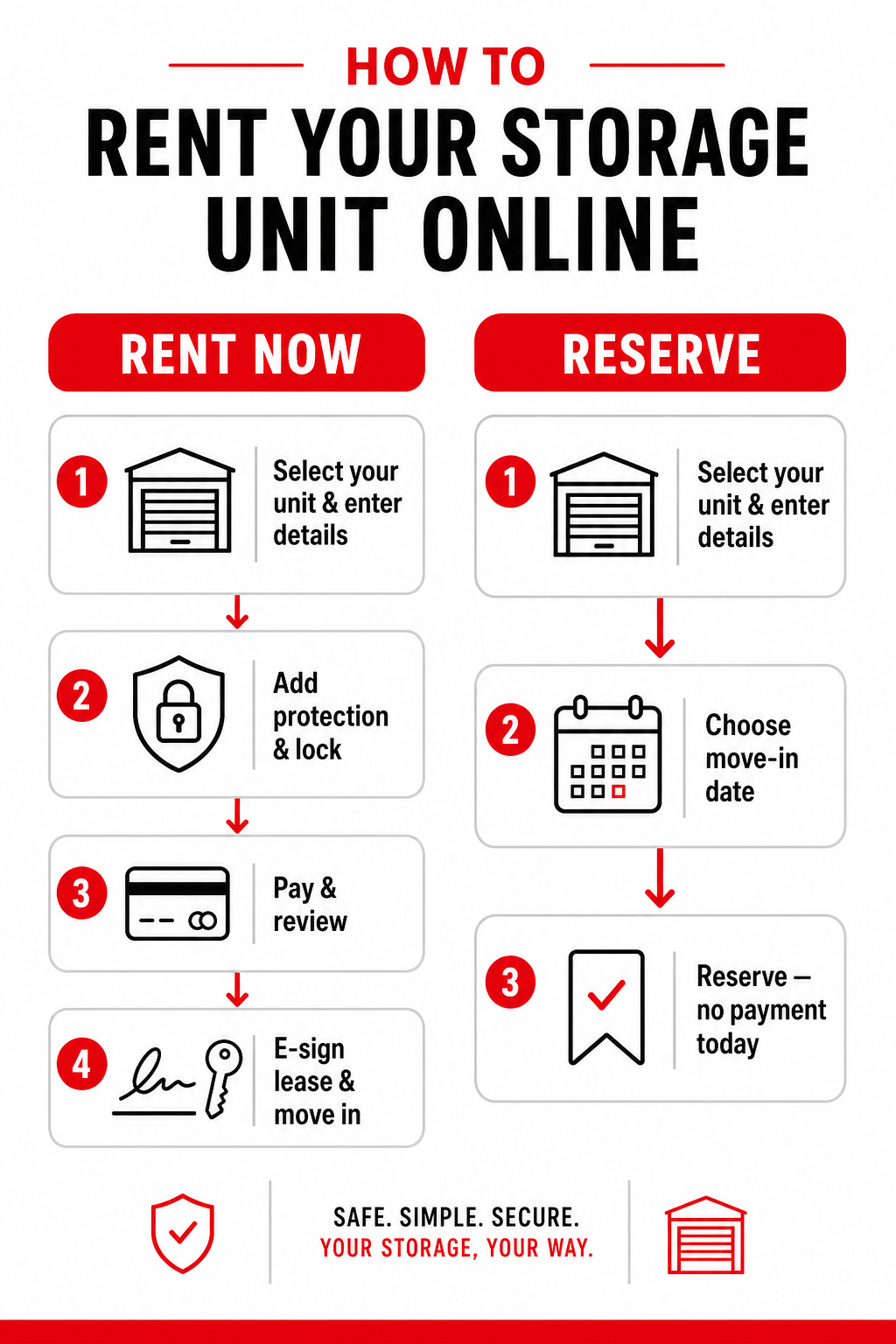
Move in today with an online rental, or lock in your space now and pay later with a reservation. Here is the whole process at a glance.
How to Rent a Storage Unit Online
Ready to move in today or on a future date? Complete your rental start to finish online.
1. Select your unit & enter your details
On the online rentals page, choose an available unit and enter your name, email, phone number, and move-in date. Add a promo code if you have one, then choose Rent Now.
2. Add your protection plan & lock
Choose a protection plan to cover your belongings (or provide your own homeowners/renters insurance declaration page), select a lock, and add any moving supplies you need.
3. Enter payment & review your order
Enter your payment information, review your first-month total and move-in charges, then submit your order when you are ready.
4. Review & e-sign your lease
Right in the checkout flow, click Sign Lease on the summary step to open the secure e-sign, upload a valid copy of your driver's license, and sign all required fields. Short on time? Choose Sign Lease & Save Time Later and finish from the link in your confirmation email.
5. Move in on your move-in date
You are all set! Use your gate access code to move into your unit on the date you selected.
How to Reserve a Storage Unit Online
Not moving in just yet? Hold your unit now and finish your move-in when you are ready.
1. Select your unit & enter your details
On the online rentals page, choose an available unit and enter your name, email, and phone number, then choose Reserve.
2. Choose your move-in date
Pick the date you plan to move in and add a promo code if one applies.
3. Confirm your reservation
Submit your reservation to hold your unit. You will receive a confirmation email with everything you need to finish your move-in.
4. Complete your move-in on your date
When you are ready, follow the link in your email to complete payment, e-sign your lease, and move in.
Good to know: No payment is required at the time of your reservation, unless your location charges a reservation fee. You will see that amount before you confirm.
Need a Hand Choosing a Unit?
Not sure what size you need? Use our storage size guide, or reach out to our storage experts; we are happy to help you find the right fit. You can also set up online bill pay and autopay so you never have to worry about a future payment.